
JOURNAL
PayPay Payments Now Accepted *Added Monday, April 26, 2021

Thank you for always choosing Early Bird Online.
We are pleased to announce that as of Monday, April 5, 2021,
PayPay has been added as a payment method on Early Bird Online.
【How to Use】
When ordering a product, proceed to "Proceed to payment"
and select "PayPay (Online Payment) - SB Payment" under "Payment."
*Please confirm your PayPay balance before placing your order.
*After clicking "Complete order", you will be redirected to the PayPay (Online Payment) - SB Payment screen for secure payment.
【How to use PayPay】
■If you click the "Buy Now" button from the product page (PC)
【1】Information
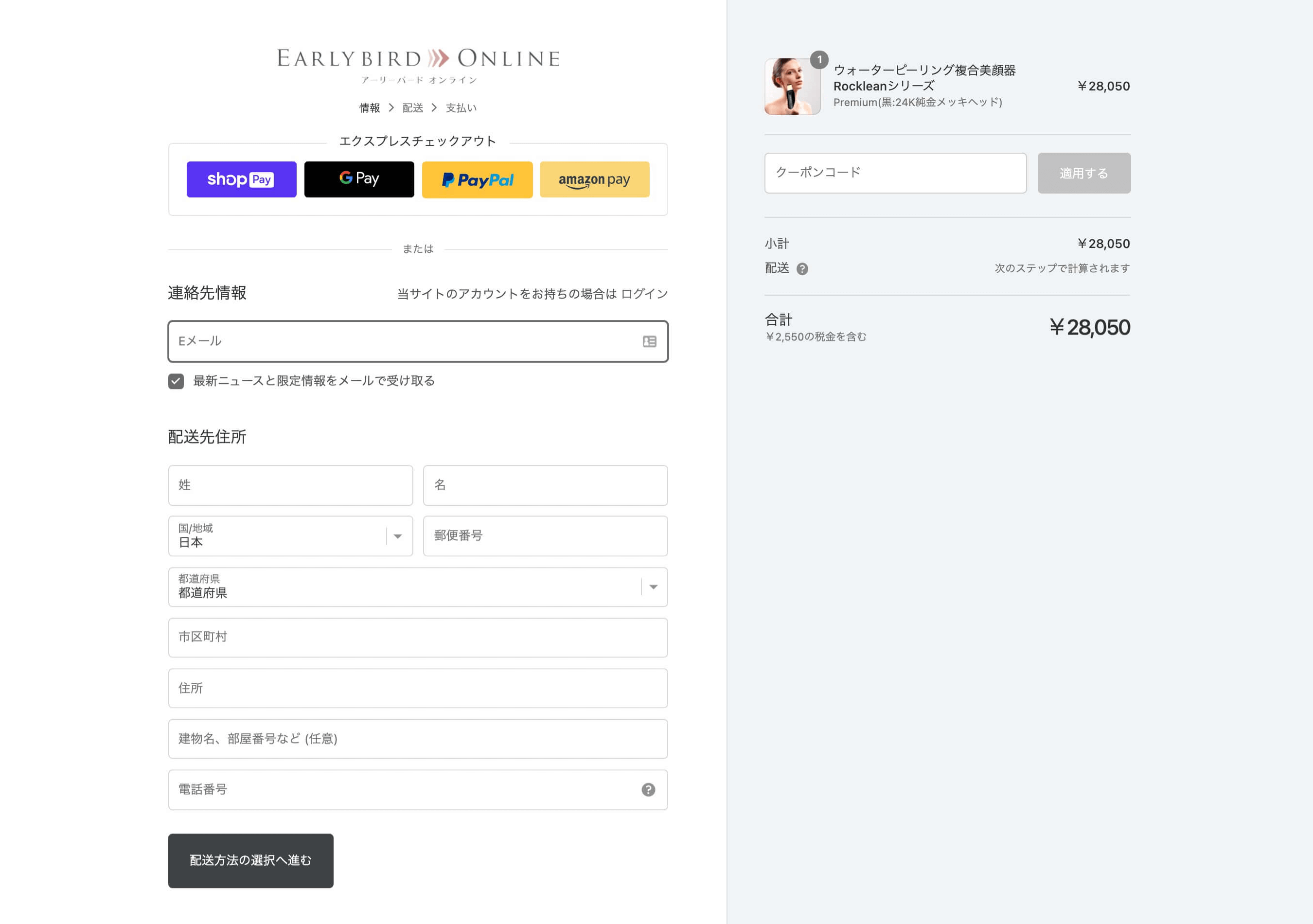 Fill in your contact information and shipping address. If you have a coupon, please enter the coupon code. Once all fields are completed, click the "Proceed to select shipping method" button.
【2】Shipping
 Confirm that the contact and shipping information is correct, then select "Free shipping" and click the "Proceed to payment" button.
【3】Payment
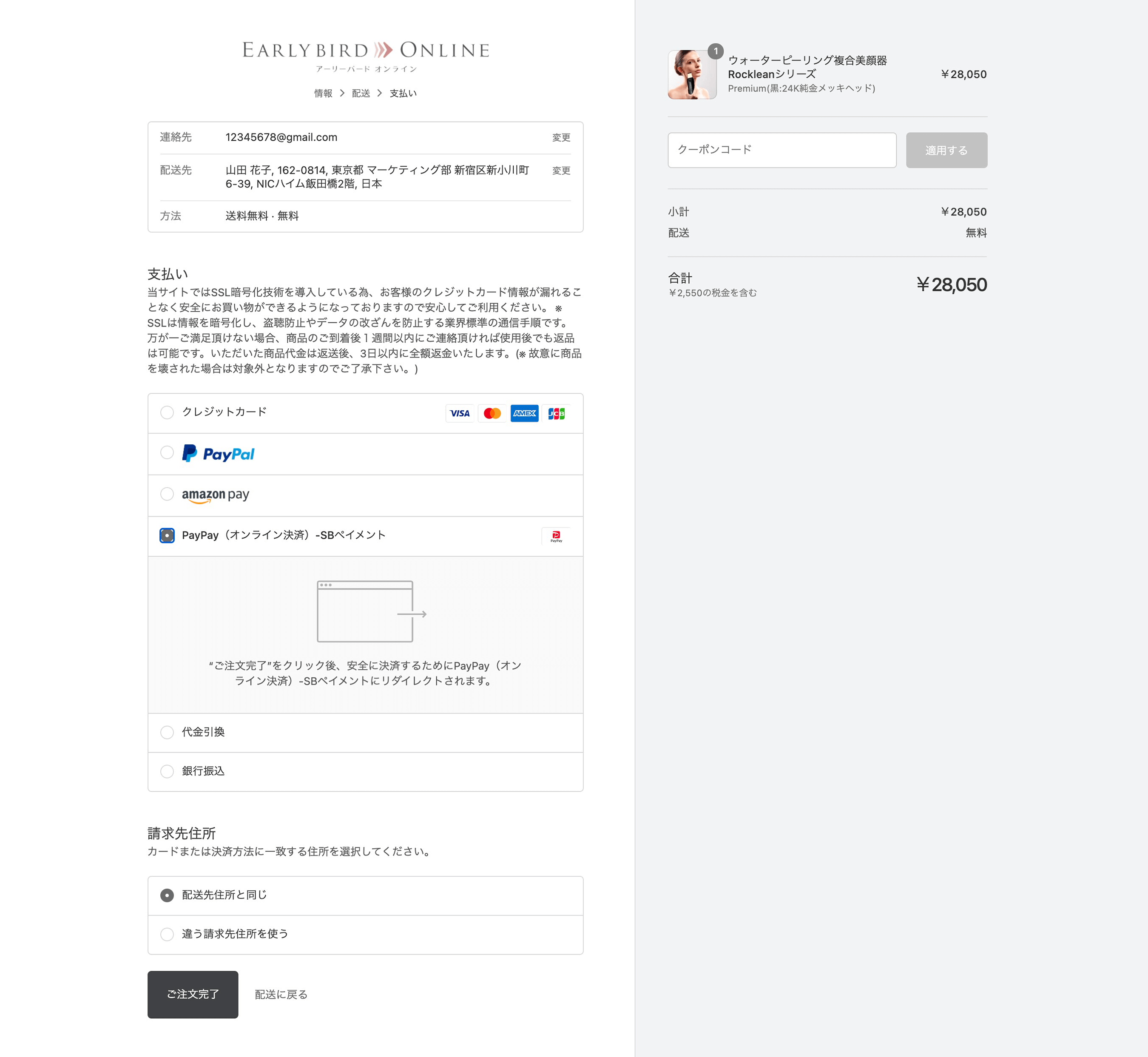 Select "PayPay (Online Payment) - SB Payment" for "Payment". Select "Billing address". Once all fields are completed, click the "Complete order" button.
*After clicking "Complete order", you will be redirected to the PayPay (Online Payment) - SB Payment (payment agency) screen for secure payment.
■If you click the "Add to Cart" button from the product page (smartphone)
【1】Cart
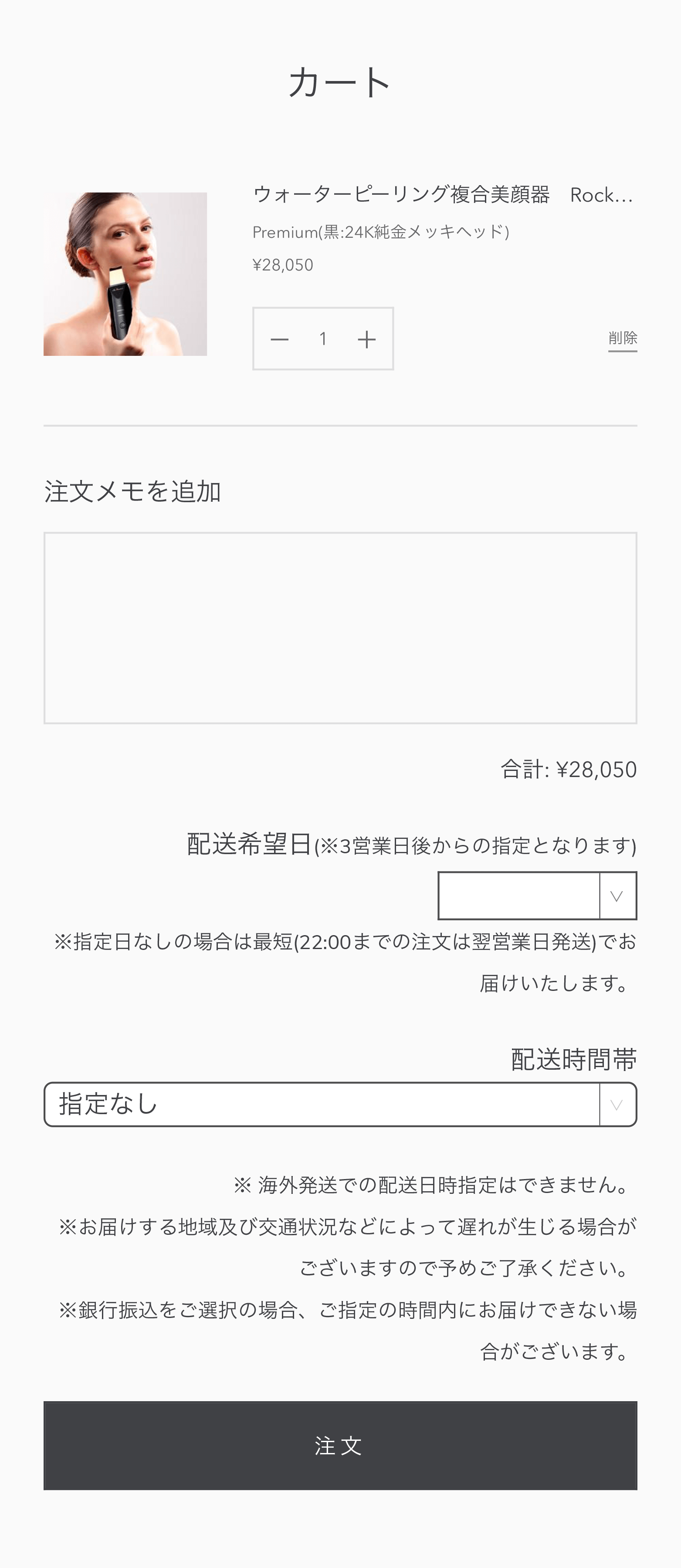 *Tap to enlarge
Confirm that the product you want to order is in your cart, then click the "Order" button.
【2】Information
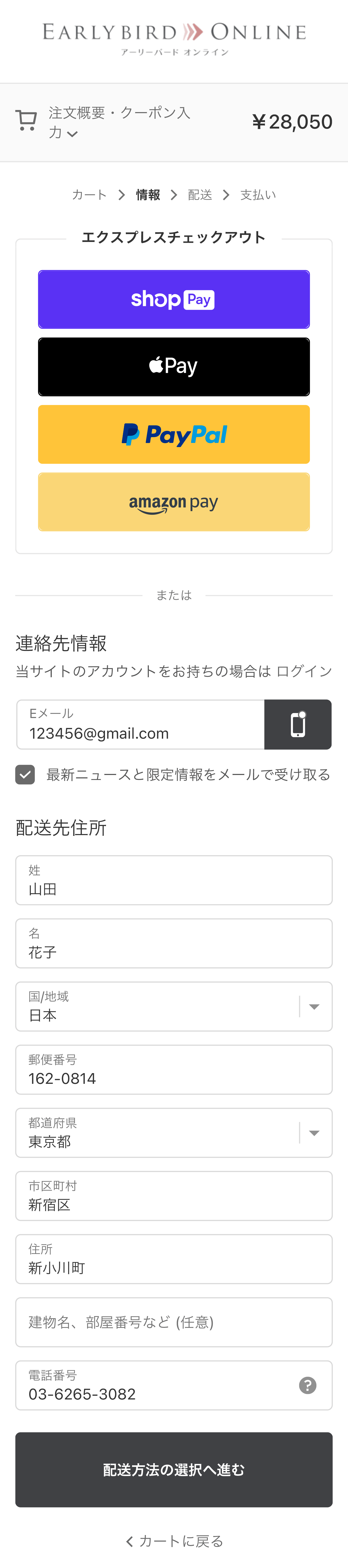 *Tap to enlarge
Fill in your contact information and shipping address, then click the "Proceed to select shipping method" button.
【3】Shipping
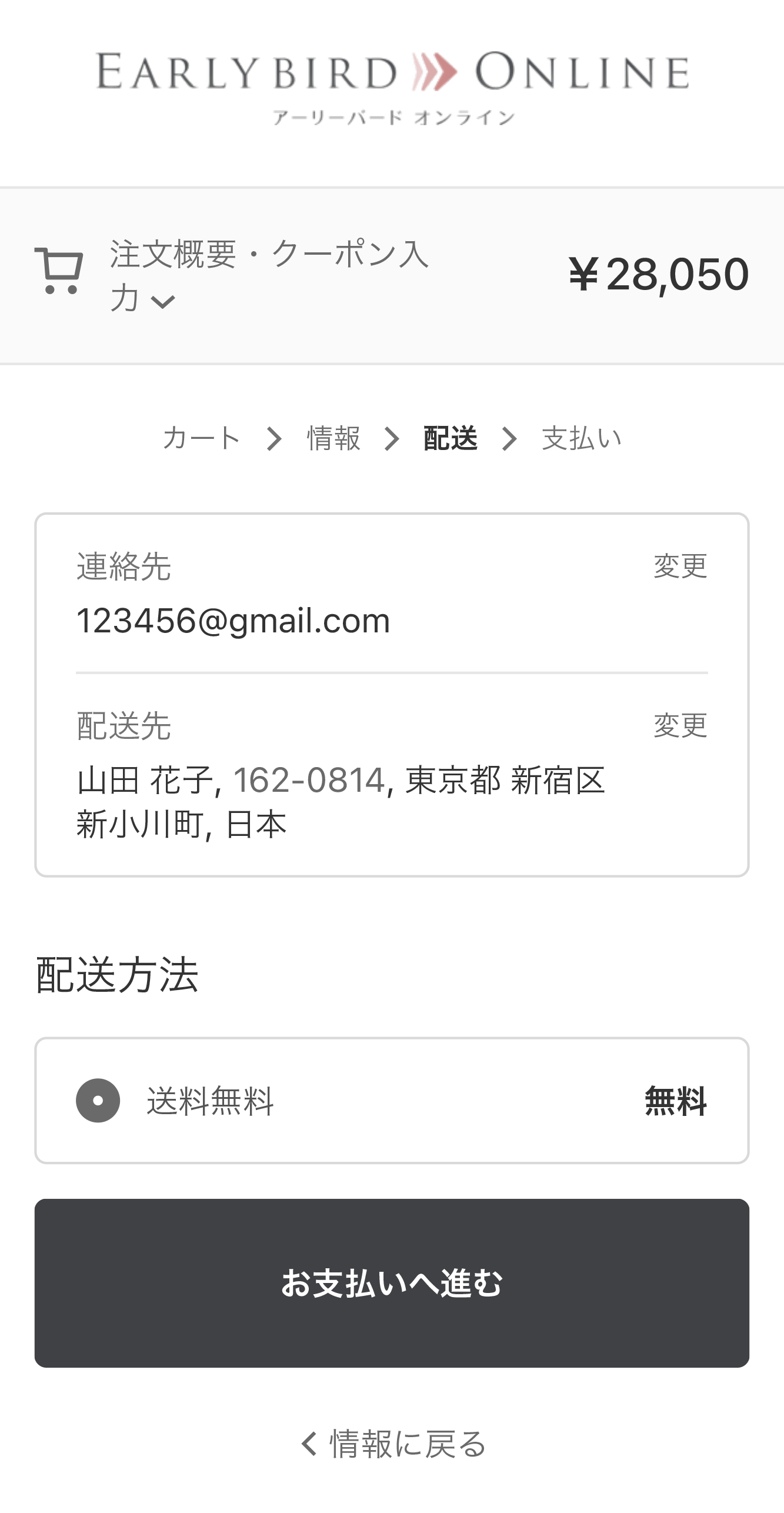 *Tap to enlarge
Confirm that the contact and shipping information is correct, then select "Free shipping" and click the "Proceed to payment" button.
【4】Payment
 *Tap to enlarge
If you have a coupon, please enter the coupon code under "Discount". For "Payment", select "PayPay (Online Payment) - SB Payment". Select "Billing address". Once all fields are completed, click the "Complete order" button.
*After clicking "Complete order", you will be redirected to the PayPay (Online Payment) - SB Payment (payment agency) screen for secure payment.
If you have any other questions, please feel free to contact us via the General Inquiry Form.
We appreciate your continued patronage.
Earlybird Online | Early Bird Online